
Playing Disney Speedstorm on Android (duh) but want to play with a friend on Switch? You’ve probably asked yourself if Disney Speedstorm crossplay is a thing. Well, rather than waste your time by asking you to scroll down to get the answer, I’ll say it straight up: Disney Speedstorm contains crossplay. If you want to know how to pull it off, scroll down for full instructions below.
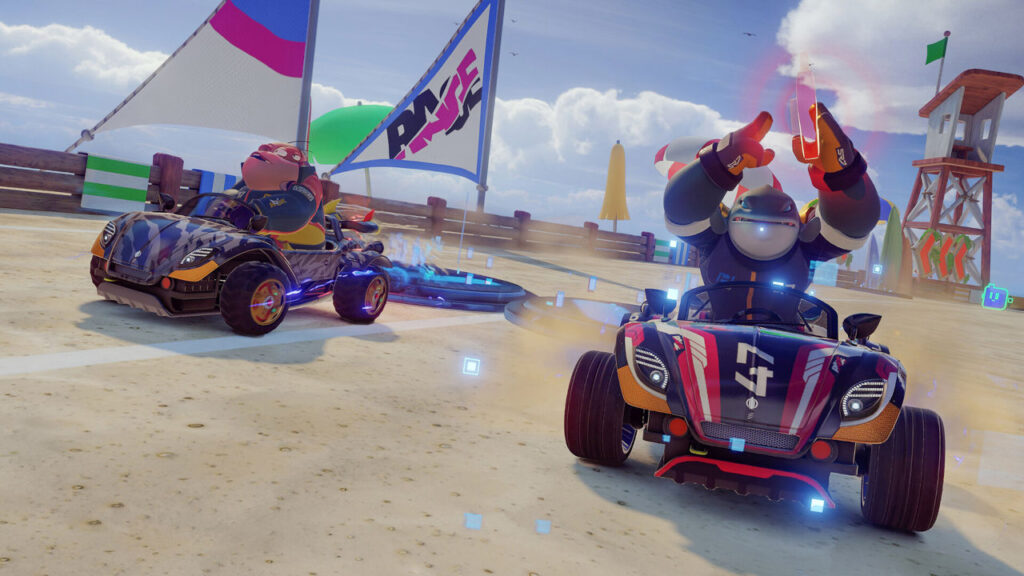
Disney Speedstorm is basically Mario Kart with Disney characters. You can collect them then head out into races against your friends. Gameloft developed it, so you can also expect some Asphalt to bleed into the experience. You can barge opponents off the road, pull off aerial stunts, and boost to gain a speed advantage.
You can check out Disney Speedstorm on Google Play. We’ve also got a Disney Speedstorm tier list, Disney Speedstorm codes guide, and how to pull off Disney Speedstorm aerial stunts.
Disney Speedstorm Crossplay
Now, let’s take a look at everything you need to know about crossplay in Disney Speedstorm.
Does Disney Speedstorm Have Crossplay?
Yes, it does. You can play with your friends no matter your platform. Currently, Disney Speedstorm is available on PC, iOS, Android, Switch, Xbox, and PS5.
How do I Play With Friends?
It’s not immediately clear, is it? Well, I figured it out eventually and I’ve got full instructions for you below:
- Launch Disney Speedstorm
- Tap on the friends button at the top of the screen (you can press RS on a controller)
- Scroll down or tap on ‘Add Friends’
- Type in your friend’s ID, which they can see from this screen
- Hit search and add the friend
- Now, simply go into ‘Your Friends’ and invite them to a game
Pretty simple overall, right? You can follow those stops to play with your friends no matter the platform.